








The Daily Schedule Planner Excel Template is a powerful tol that allows you to fully organize your day according to sections, tasks and notes per task. It then provides you with a fantastic visual that displays all detail, for a given day, in one page.
The Daily Schedule Planner Excel Template is a powerful tol that allows you to fully organize your day according to sections, tasks and notes per task. It then provides you with a fantastic visual that displays all detail, for a given day, in one page.

Struggling to keep track of your busy day? Our Daily Planner Excel Template is designed to help you structure tasks, appointments, and routines in one easy-to-use spreadsheet, so you can stay focused and productive from morning to night.
With clear sections for morning, afternoon, and evening, this daily schedule template Excel allows you to break your day into manageable blocks, add detailed notes, and mark tasks as complete—turning planning into an effortless habit.
Built by Excel productivity experts, this Excel daily planner template leverages proven organization methods, ensuring your schedule is both efficient and visually intuitive, no matter your profession or lifestyle.
Trusted by thousands worldwide, Excel Wonders delivers tools that are tested, reliable, and secure—helping you achieve your daily goals with confidence and clarity.
Features:
2 reviews
2 reviews
Awesome excel template! Really easy to use
Review for: Daily Schedule Planner Excel Template
I started my health and wellness journey earlier this year, aside from my workout plan, I wanted to keep track of what I eat/prepare on a daily basis. This template has been sooo useful in doing just that! Thank you!
Review for: Daily Schedule Planner Excel Template
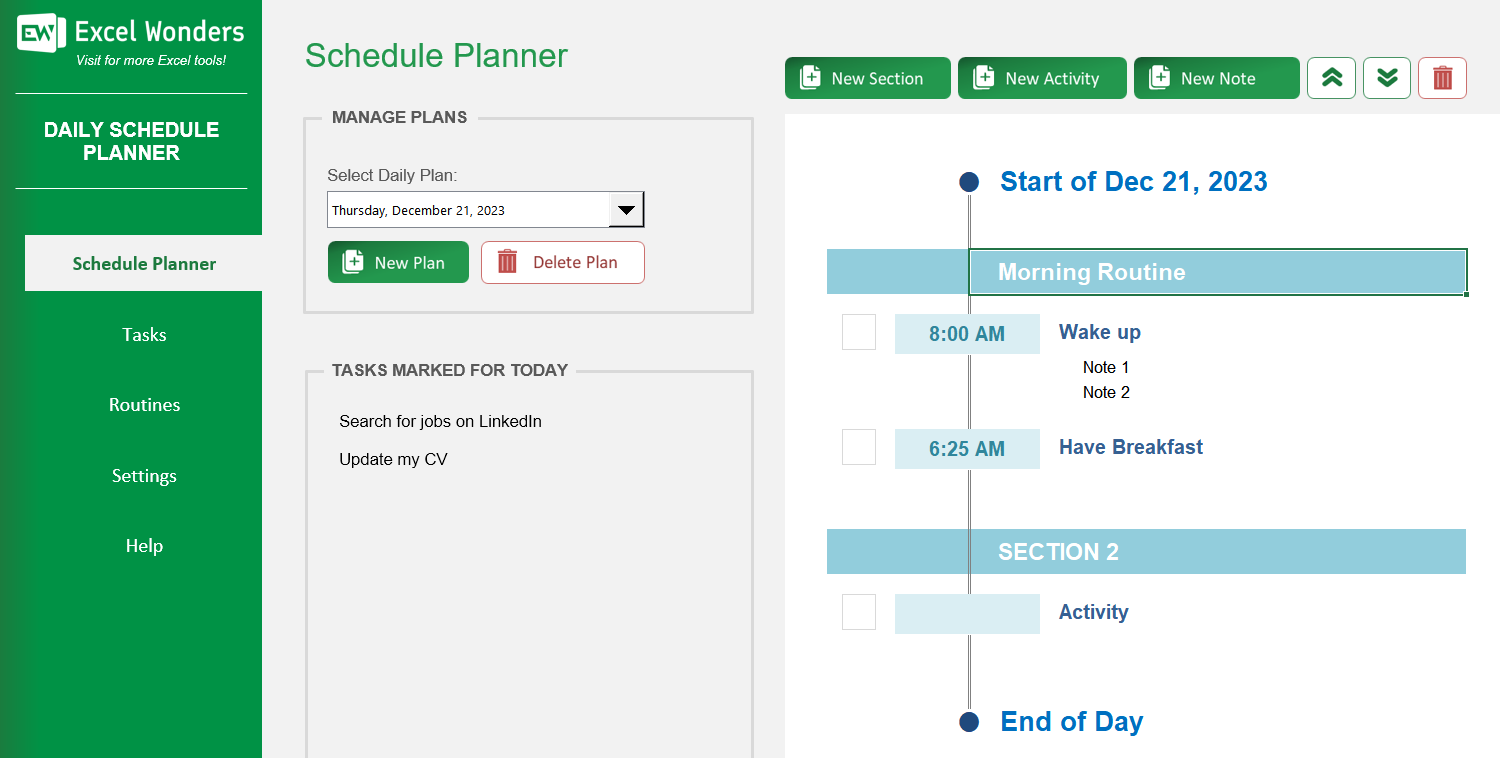
The 'Schedule Planner' is the main feature of this template. It allows you to create structured daily schedules, visualize your tasks for a specific day, and import pre-made Routines to build your plan quickly.
On the 'Schedule Planner' sheet, click the 'New Plan' button. In the pop-up window, select the date for the new plan and click confirm. An empty plan for that day will be created. Note: Only one plan can be created per day.
A Day Plan is organized using a three-level hierarchy: • Sections: High-level blocks of time used to group activities (e.g., 'Morning'). • Activities: The specific tasks or appointments within a Section. • Notes: Optional one-line comments to add context to an Activity.
First, select the plan you wish to remove using the date dropdown. Then, click the 'Delete Plan' button and confirm your choice. This will permanently remove the plan and all its contents.
Yes. On the 'Schedule Planner' sheet, click the 'Export' button in the top-right corner. A dialog box will appear where you can set the file name, location, and format for your exported plan.
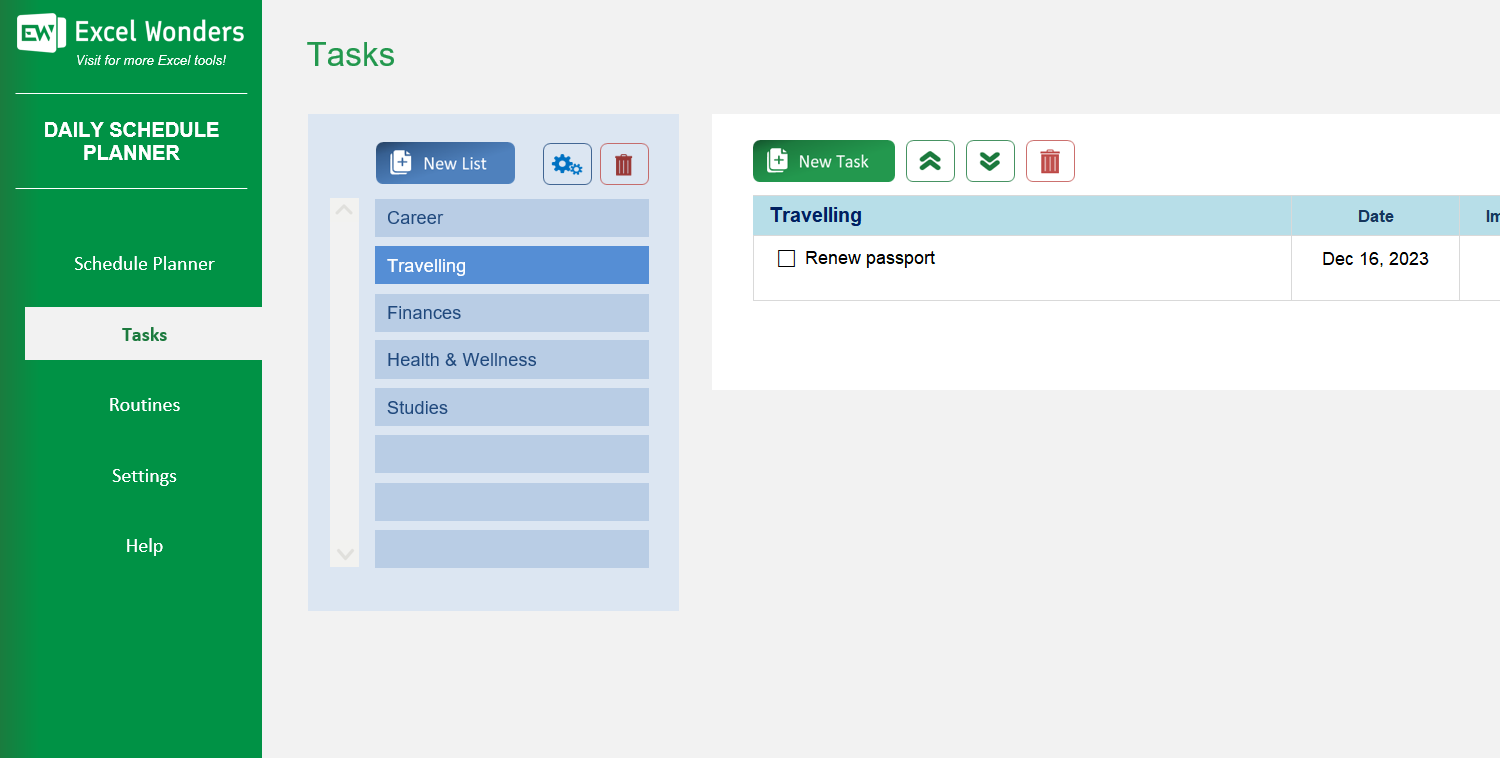
On the 'Tasks' sheet, you can organize your tasks into lists. Use the buttons provided to: • Add: Click 'New List' and give it a name. • Edit: Select a list and click 'Edit'. • Remove: Select a list and click the remove button.
First, select the list where you want to add the task. Click the 'New Task' button to add a task at the end of the list. Alternatively, select an existing task first to add the new one directly below it.
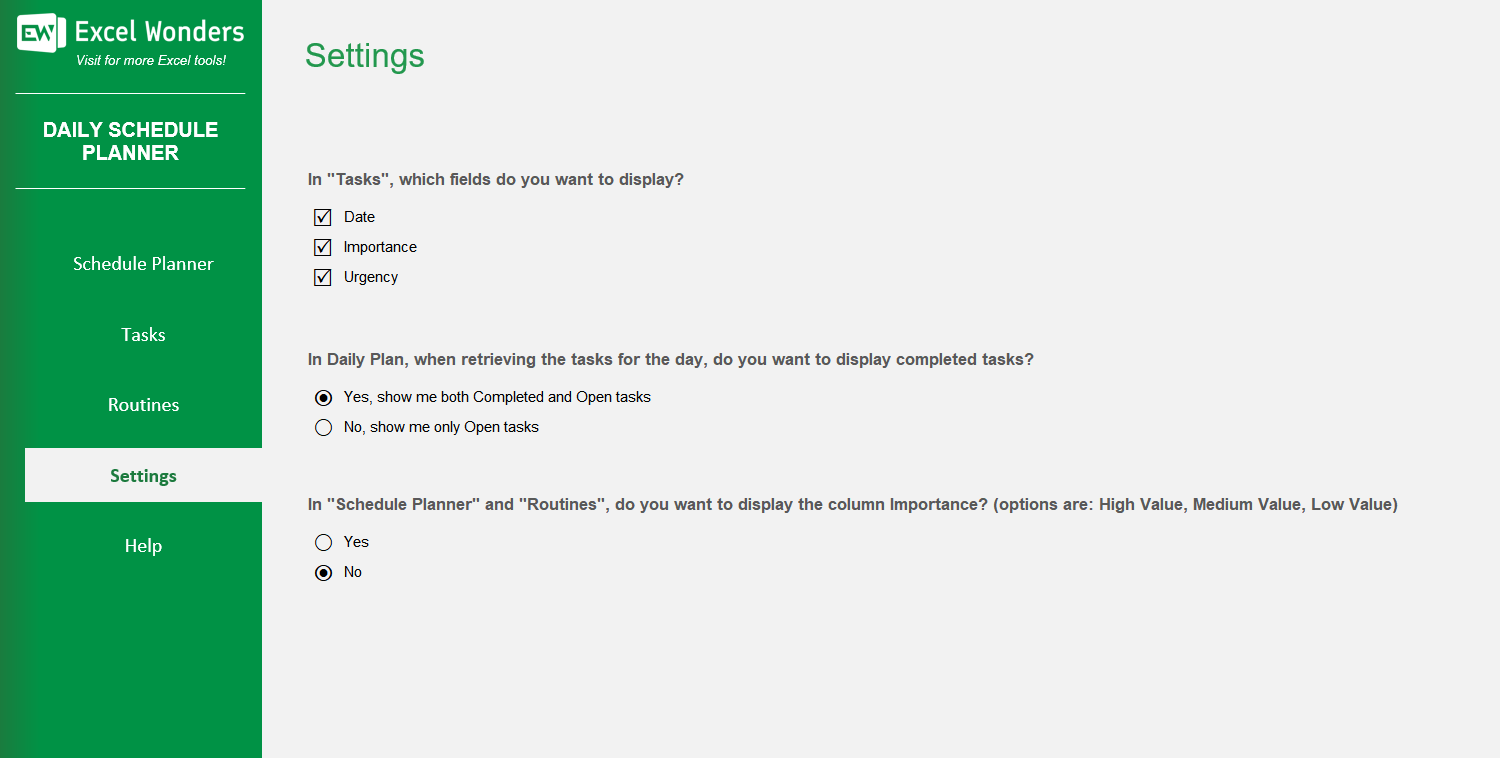
You can show or hide the 'Due Date', 'Importance', and 'Urgency' fields for your tasks. Go to the 'Settings' sheet to enable or disable these options as needed.
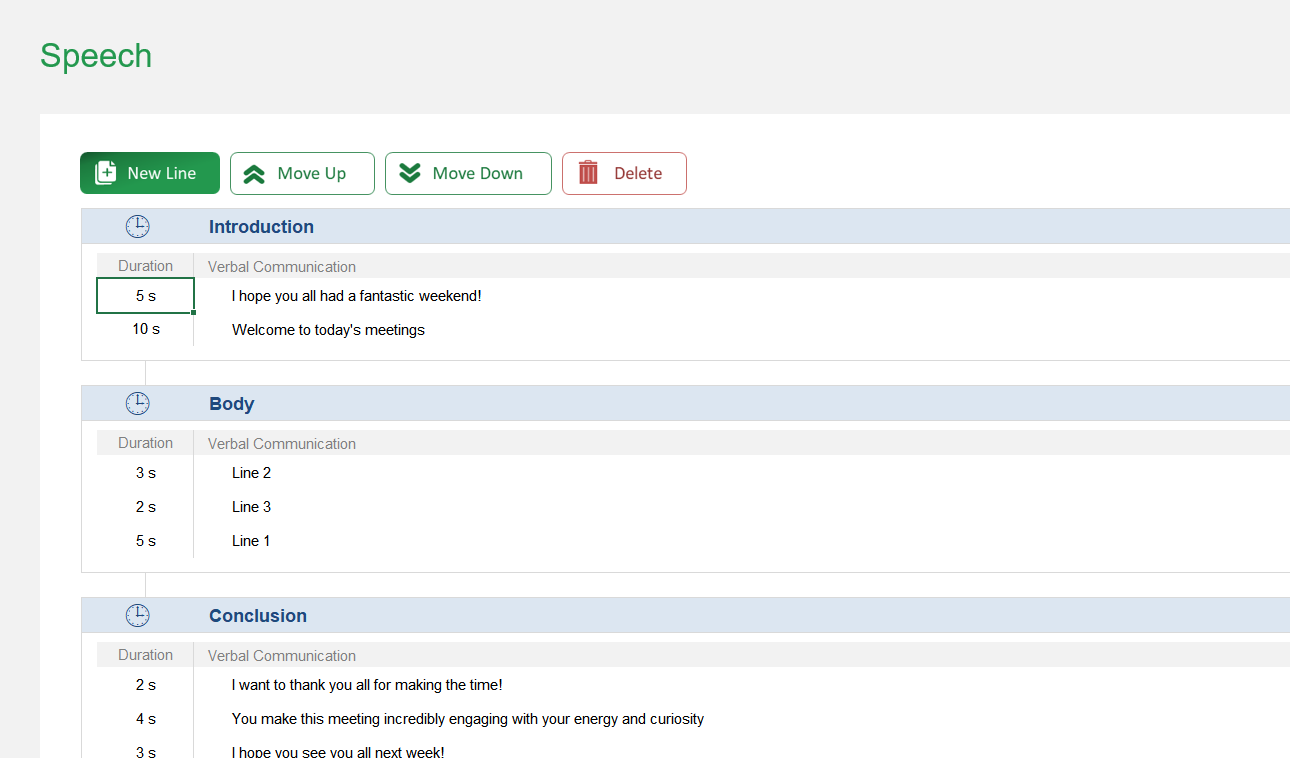
Routines are reusable templates for common parts of your day (e.g., a 'Morning Routine'). You can create them on the 'Routines' sheet with a predefined set of Activities and then import them into any Day Plan to save time.
You can manage your routines on the 'Routines' sheet: • Create: Click 'New Section' to create a new routine template. • Reorder: Select a routine and use the move up/down buttons. • Delete: Select a routine and click the delete button. Note: Deleting a routine does not remove it from Day Plans where it has already been used.
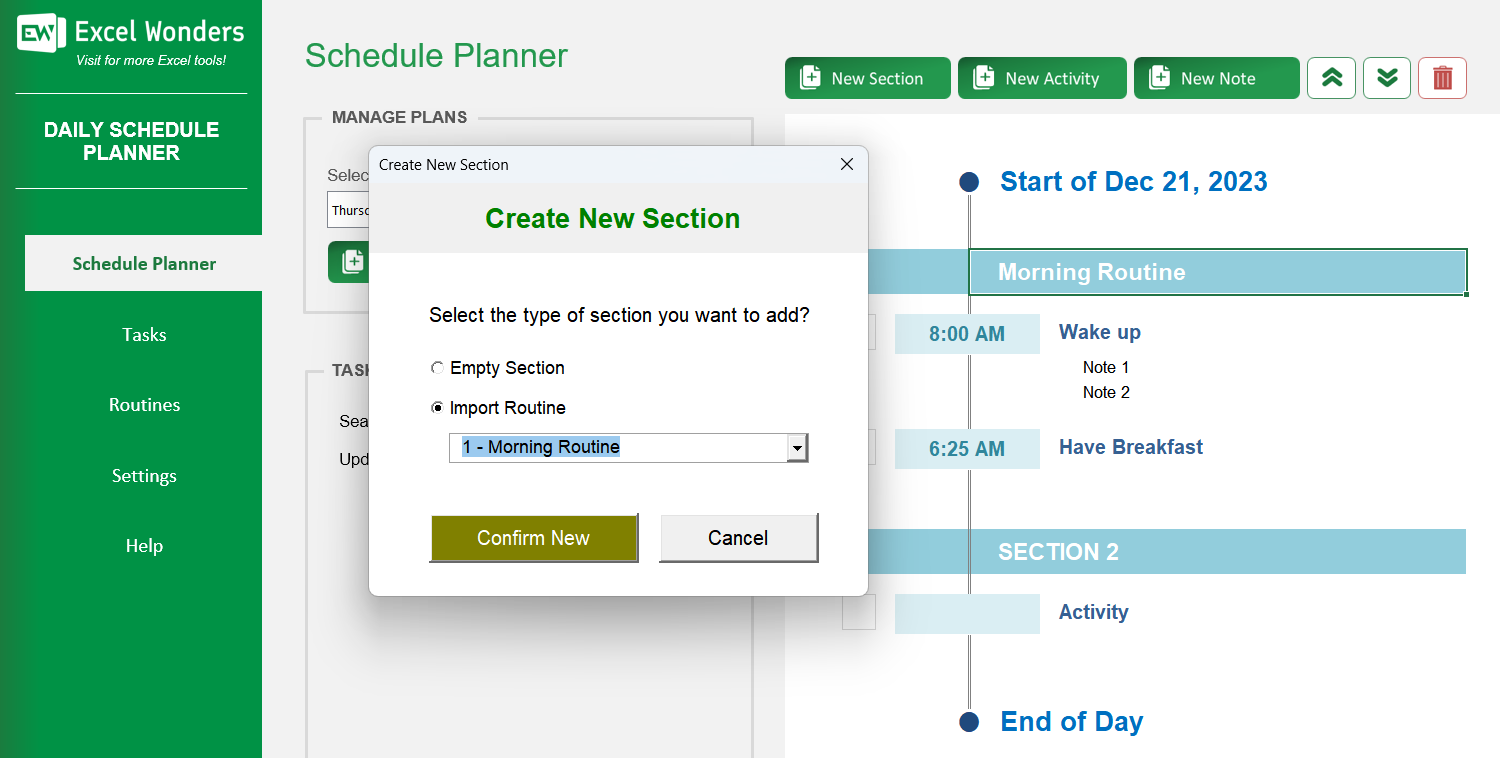
First, select the desired Day Plan. Click the 'New Section' button to open a pop-up window. Choose the 'Import from Routine' option, then select the specific routine you wish to import from the new dropdown menu that appears.














 Share Options