






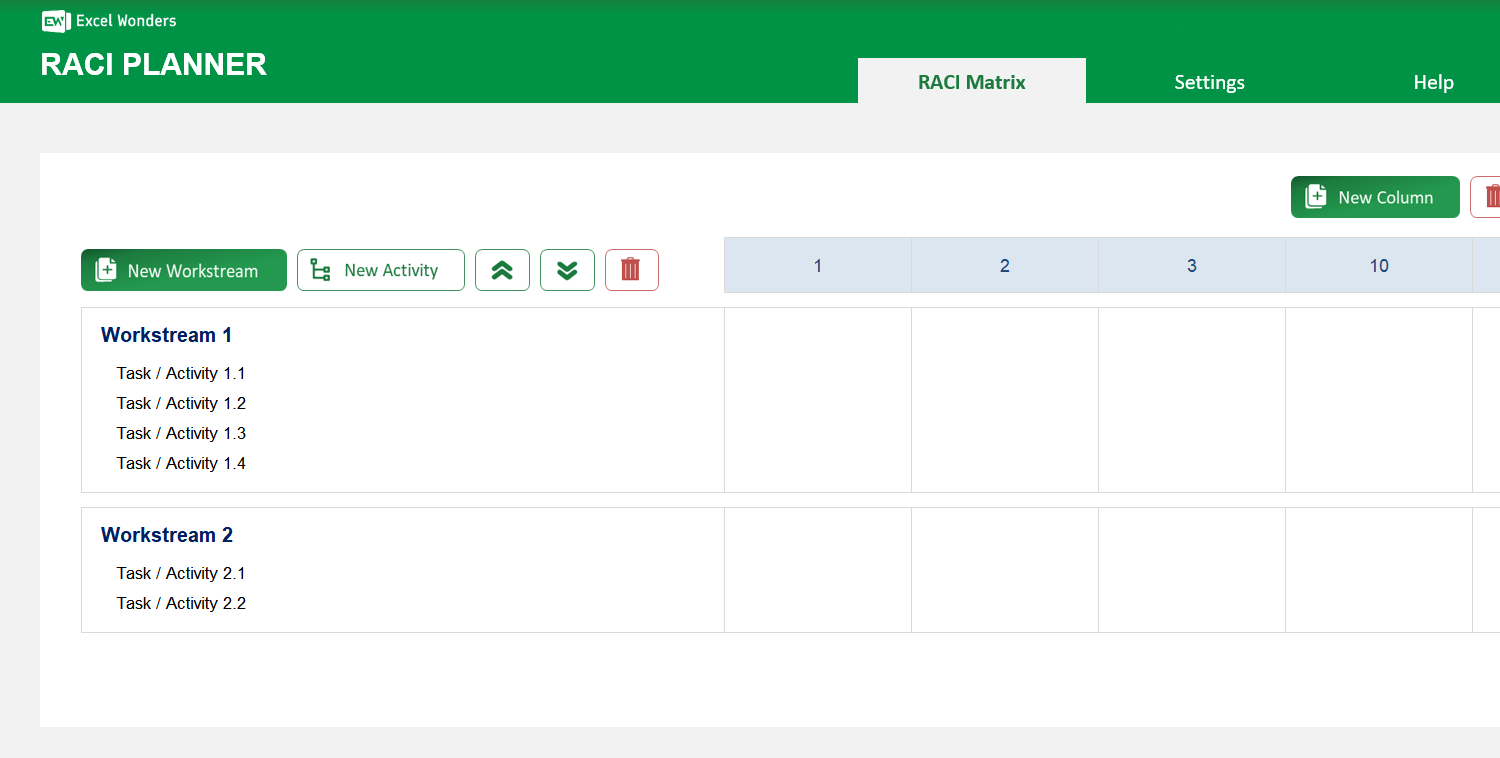
The RACI Planner Excel Template is the perfect tool for anyone who wants to define and document the roles and responsibilities of each individual/team. It follows a well-known framework (RACI), includes key definitions and empowers you to easily create one for your team.
The RACI Planner Excel Template is the perfect tool for anyone who wants to define and document the roles and responsibilities of each individual/team. It follows a well-known framework (RACI), includes key definitions and empowers you to easily create one for your team.

Managing projects without clear accountability often leads to confusion, duplicated effort, and missed deadlines. The Excel RACI Template is your solution—streamlining project management by defining roles and responsibilities with precision.
Built on the proven RACI framework, this versatile Excel chart template ensures every team member knows who is Responsible, Accountable, Consulted, and Informed, improving collaboration and reducing bottlenecks.
Developed by Excel Wonders' expert team with years of project management experience, this RACI chart template combines best practices with a user-friendly design, making it suitable for projects of any size or complexity.
Trusted by managers and coordinators worldwide, our RACI Planner Excel Template has helped countless teams deliver projects faster, with fewer misunderstandings—backed by our commitment to accuracy, usability, and ongoing support.
Features:
Simple Role Assignment: Quickly allocate Responsible, Accountable, Consulted, and Informed roles to ensure clarity in every task.
Flexible Structure: Easily add, edit, reorder, or delete workstreams and activities to match your project workflow.
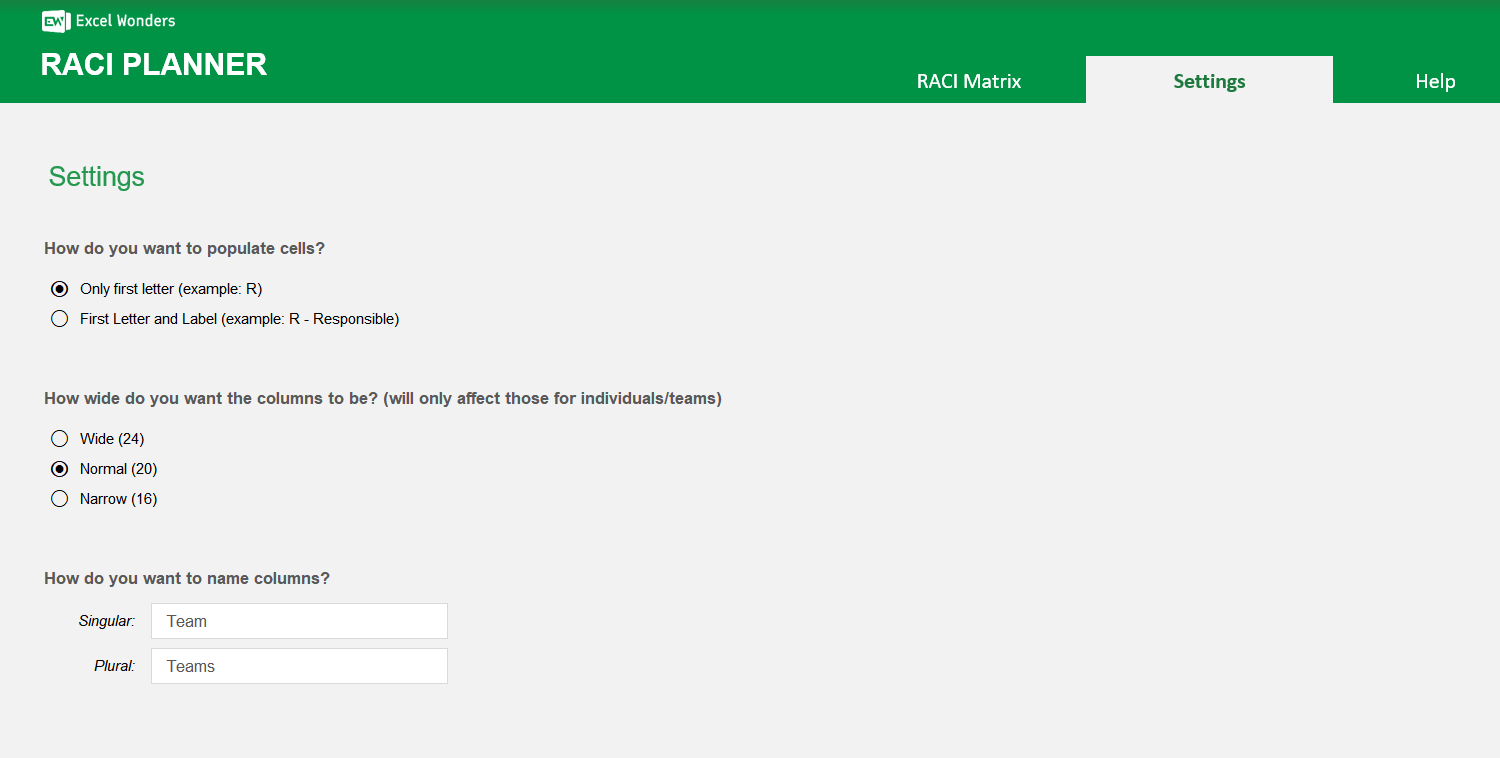
Custom Display Settings: Choose between single-letter abbreviations or full role names, and adjust column widths for optimal readability.
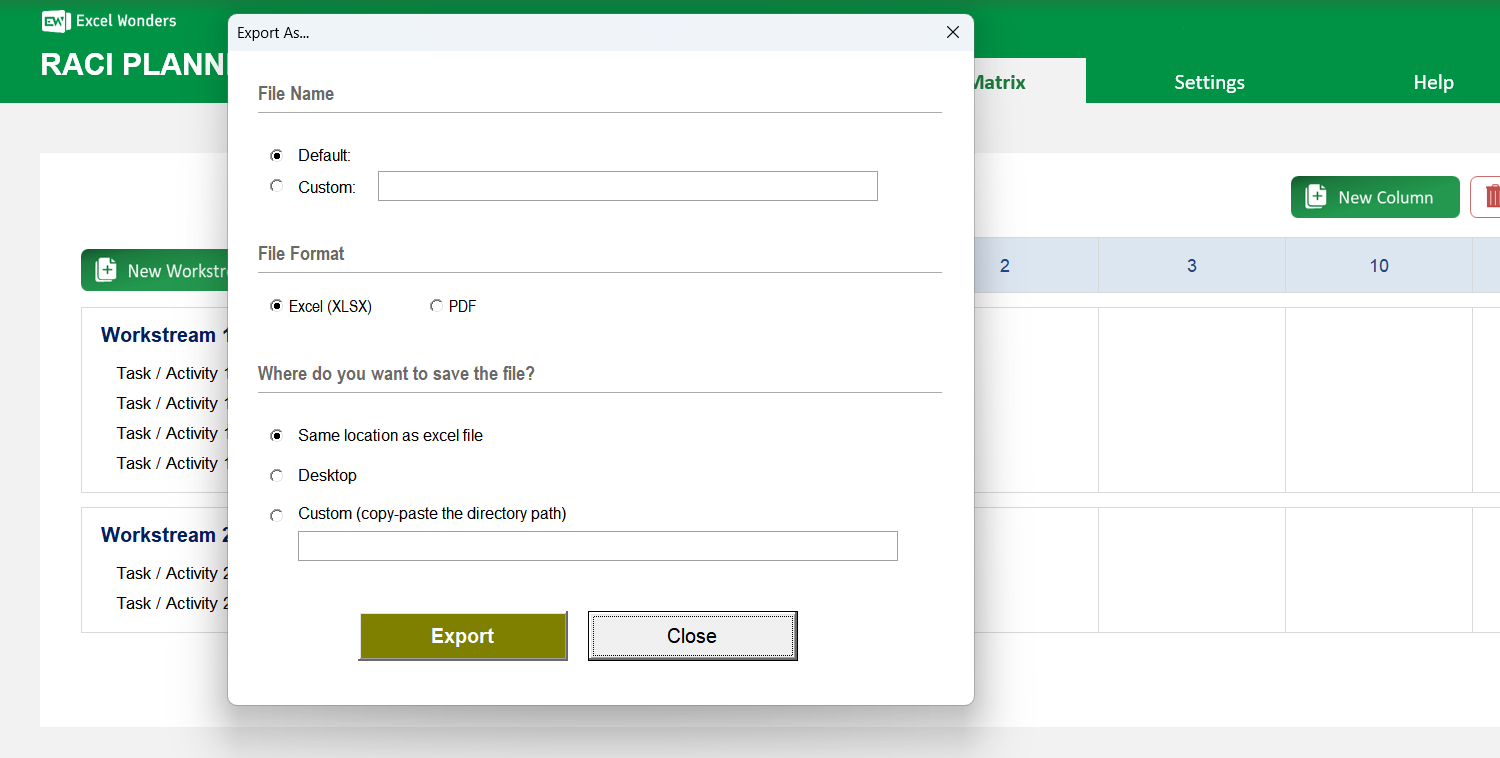
Instant Export Function: Create and save professional RACI charts for reporting with one-click export options.
Visual Customization: Modify layouts and styles so your chart aligns with your team’s branding and preferences.
Scalable for Any Project: Adaptable for small teams or large, complex projects without losing clarity or structure.
Efficient Collaboration: Standardizes communication across stakeholders, reducing misunderstandings and streamlining decision-making.
Sorry! No Reviews Yet!
At the moment, we don't have any reviews for the RACI Planner Excel Template.
Yes. On the 'Settings' sheet, you can choose from three preset column widths for the RACI chart: Wide, Medium, or Narrow.
A RACI chart is a project management tool used to clarify roles and responsibilities. It maps out tasks against stakeholders, assigning each person one of four key roles: Responsible, Accountable, Consulted, or Informed.
Each letter represents a specific level of responsibility: • Responsible: The person or team who does the work to complete the task. • Accountable: The person who owns the task, delegates the work, and makes the final decisions. • Consulted: Subject matter experts who provide input and feedback on the task. • Informed: People who are kept up-to-date on progress but are not directly involved in the work.
The template uses a two-level hierarchy to structure your plan: • Workstreams: These are the high-level project phases or categories of work. • Activities: These are the specific, individual tasks that fall under each Workstream.
You can manage both using the control buttons on the 'RACI Planner' sheet: • Add: Click 'New Workstream' to add a category. To add a task, select the parent Workstream, then click 'New Activity'. • Reorder: Select an item and use the move up/down buttons. • Delete: Select the item you wish to remove and click the delete icon.
Yes. Click the 'Export' button in the top-right corner. A dialog box will appear where you can set the file name, format, and save location for your exported chart.
Yes. Go to the 'Settings' sheet to choose your preferred display format. You can select to show either the single letter abbreviation or the full role name in the chart.














 Share Options